
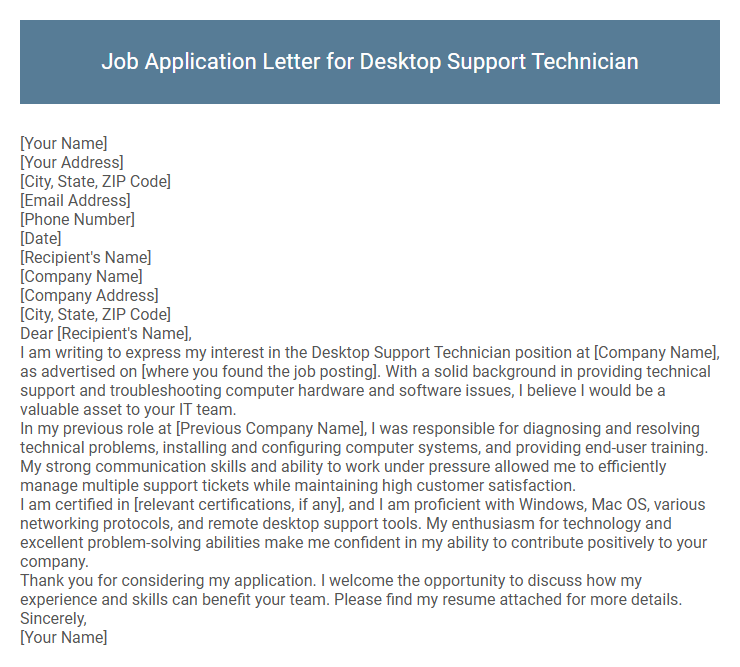
Job Application Letter for Desktop Support Technician Sample
[Your Address]
[City, State, ZIP Code]
[Email Address]
[Phone Number]
[Date]
[Recipient's Name]
[Company Name]
[Company Address]
[City, State, ZIP Code]
Dear [Recipient's Name],
I am writing to express my interest in the Desktop Support Technician position at [Company Name], as advertised on [where you found the job posting]. With a solid background in providing technical support and troubleshooting computer hardware and software issues, I believe I would be a valuable asset to your IT team.
In my previous role at [Previous Company Name], I was responsible for diagnosing and resolving technical problems, installing and configuring computer systems, and providing end-user training. My strong communication skills and ability to work under pressure allowed me to efficiently manage multiple support tickets while maintaining high customer satisfaction.
I am certified in [relevant certifications, if any], and I am proficient with Windows, Mac OS, various networking protocols, and remote desktop support tools. My enthusiasm for technology and excellent problem-solving abilities make me confident in my ability to contribute positively to your company.
Thank you for considering my application. I welcome the opportunity to discuss how my experience and skills can benefit your team. Please find my resume attached for more details.
Sincerely,
[Your Name]
A well-crafted job application letter for a Desktop Support Technician highlights technical proficiency and problem-solving skills essential for maintaining and troubleshooting computer systems. Clear communication of experience with hardware installation, software support, and network issues demonstrates readiness to ensure efficient IT operations. Emphasizing a dedication to customer service and timely resolution of technical problems fosters confidence in supporting end-users effectively.
What should I include in a Job Application Letter for a Desktop Support Technician?
Include your technical skills such as troubleshooting, hardware and software installation, and network support relevant to Desktop Support Technician roles. Highlight your experience with operating systems, remote support tools, and customer service abilities. Emphasize certifications like CompTIA A+ or Microsoft Certified Solutions Expert to strengthen your application.
How do I highlight my technical skills in the application letter?
Emphasize specific technical skills relevant to desktop support to demonstrate your expertise clearly. Use quantifiable achievements to showcase your problem-solving abilities and proficiency with hardware and software.
- List key technical skills - Mention operating systems, hardware troubleshooting, and software tools you master, such as Windows, macOS, and ticketing systems.
- Provide examples of problem resolution - Describe instances where you quickly diagnosed and fixed technical issues, improving system performance or user satisfaction.
- Highlight certifications and training - Include certifications like CompTIA A+ or Microsoft Certified Professional to validate your technical knowledge and commitment.
Should I mention specific certifications in my letter?
Mentioning specific certifications in a job application letter for a Desktop Support Technician can strengthen your credibility. It highlights your technical expertise and commitment to the field.
- Certifications Validate Skills - Including certifications such as CompTIA A+ or Microsoft Certified Desktop Support Technician shows verified technical abilities.
- Supports Job Requirements - Referencing certifications aligns your qualifications with employer expectations and job descriptions.
- Enhances Professional Image - Highlighting certifications demonstrates professionalism and dedication to continuous learning.
How can I showcase problem-solving experience?
| Aspect | How to Showcase Problem-Solving Experience |
|---|---|
| Specific Examples | Describe instances where you diagnosed hardware or software issues and implemented effective solutions, such as resolving network connectivity problems or fixing operating system errors. |
| Technical Skills | Highlight proficiency in troubleshooting tools, remote desktop software, and knowledge of various operating systems to demonstrate practical problem-solving capabilities. |
| Impact | Quantify results by mentioning reduction in downtime, improved system performance, or increased user satisfaction due to your interventions. |
| Process | Explain your systematic approach to problem-solving, including identifying the root cause, researching solutions, testing fixes, and documenting outcomes. |
| Soft Skills | Emphasize communication skills used to understand user issues clearly and collaborate with IT teams for effective resolution. |
Is it necessary to tailor my letter for each job application?
Is it necessary to tailor my job application letter for each Desktop Support Technician position? Customizing your letter highlights relevant skills and experiences that match the specific job requirements, increasing your chances of being noticed. Employers value personalized applications that demonstrate genuine interest and understanding of the role.
What is the ideal length for a Desktop Support Technician cover letter?
The ideal length for a Desktop Support Technician cover letter is one page, typically around 250 to 400 words. This concise format ensures clear communication of key skills, relevant experience, and enthusiasm for the role. Employers prefer brief, focused letters that highlight technical expertise and problem-solving abilities without unnecessary detail.
Should I address gaps in my employment in the letter?
Addressing employment gaps in a job application letter for a Desktop Support Technician position depends on the length and reason for the gaps. Briefly explain any significant gaps with a positive spin, such as skill-building or relevant training. Keeping the focus on your technical capabilities and problem-solving skills strengthens your candidacy.
How do I reference relevant software and hardware experience?
Highlight your proficiency with operating systems such as Windows, macOS, and Linux, emphasizing troubleshooting and maintenance skills. Mention experience with hardware components including desktops, laptops, and peripheral devices, showcasing repair and upgrade tasks. Reference familiarity with support tools like remote desktop software, ticketing systems, and network diagnostics to demonstrate comprehensive technical expertise.
Can I include achievements from previous IT support roles?
Including achievements from previous IT support roles in your job application letter for a Desktop Support Technician position can significantly strengthen your candidacy. Highlighting specific accomplishments demonstrates your technical expertise and problem-solving skills effectively.
- Showcase Technical Skills - Detail achievements such as successfully troubleshooting complex hardware or software issues under tight deadlines.
- Demonstrate Impact - Mention instances where your support improved system uptime or enhanced user satisfaction.
- Quantify Results - Use metrics like reduced ticket resolution time or increased efficiency to provide concrete proof of your contributions.
Incorporating relevant achievements tailored to the job description can make your application more compelling and relevant.